Sunday, May 18, 2008

Microsoft Wireless Laser Desktop 7000

Microsoft announced a new wireless desktop set this week called the Wireless Laser Desktop 7000. The set uses the Cordless Laser Mouse 7000 for the pointing device and a new Aero-themed comfort curve wireless keyboard. The keyboard features buttons that you can program to your favorite websites for one touch access. The cool part about these buttons is that you program them like you do radio stations on your car radio, simply hold them down and you are done. The keyboard uses translucent plastic trim that gives the keyboard a look similar to the Windows Vista Aero interface. The keyboard is set to launch in April at $129.95.

Opera for Mobile Phone

Do you want to browse internet by your mobile phone? In almost newest mobile phone there are mini browser by default. But, how about the older one?

Here is alternatif browser that you can install to your handset. It's Opera Mini.

There are 3 metode to download :

1. Phone Download
To download Opera Mini to your phone, visit operamini.com using your phone's existing Web browser and follow simple on-screen instructions. For additional detailed info, please follow the link below.

http://www.operamini.com/download/wap/

2. PC Download
Download Opera Mini to your computer and transfer to your phone using Bluetooth or USB connection. Choose the manufacturer and model of your phone in our wizard page. The link is :

http://www.operamini.com/download/pc/

3. SMS link
Submit an SMS request from this page. You will receive a download link for Opera Mini directly to your phone. Please visit to

http://www.operamini.com/download/sms/

Choose one of the three methods available to get Opera Mini on your phone.

Friday, May 16, 2008

Changing eye color

Here I will show you how I change eye color the quick and easy way.

Before :


After :


First, open up your image in Photoshop, and zoom in on the eye(s) you wish to color.

NOTE: A quick way to zoom in and out, hold down CTRL and press the =/+ key to zoom in, or the -/_ key to zoom out.


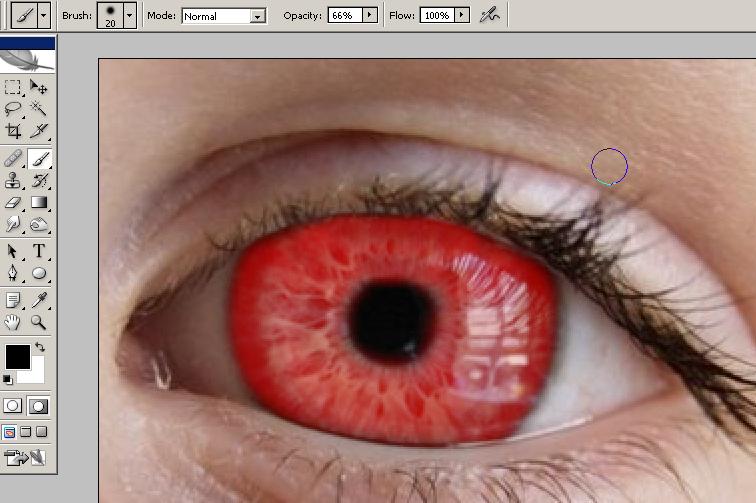
Now, select your paint brush and choose a size appropriate for your image. Next, adjust your hardness. I keep mine about 30% for this.
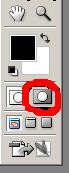
Next, hit Q or click the Quick Mask button(circled in red below) to go into quick mask mode. From here, color your eye in with the paintbrush selected in the 2nd step.


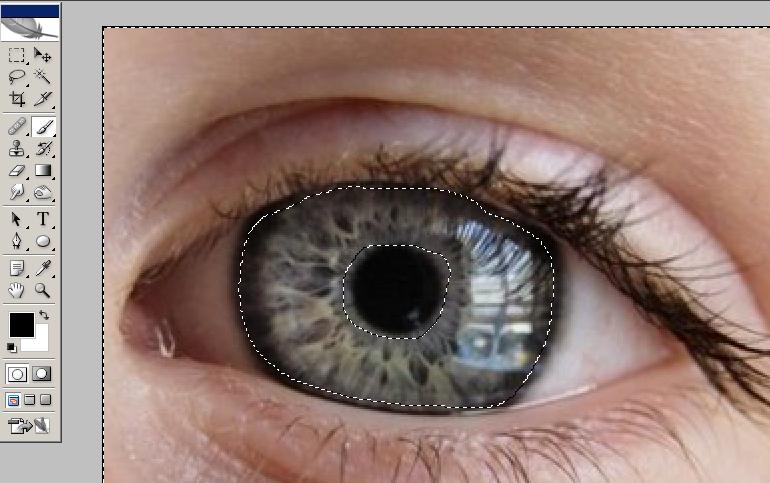
Now, go back to standard mode by hitting Q again, Everything but the eye should be selected.


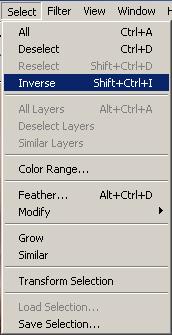
To select the eye, go to Select>Inverse, or hit SHIFT+CTRL+I.


Now, create a layer from the selected portion by hitting CTRL+J. When you have created this layer, and have selected it, hit CTRL+B to bring up the color balance. Play around with the colors till you get what you like. Color balance isn't the only way to edit it, now that you have a layer from the eye, you can edit it any way you like.

Try adding some filters, colors, layers, etc. And post your results here. Good luck!
Written by : joshbond